Bridging the Gap Between AI Video Intelligence and Post-Production: The Mux Robots Adobe Premiere Pro Plugin

The intersection of artificial intelligence and professional video editing reached a new milestone following the public release of the Mux Robots plugin for Adobe Premiere Pro. Designed to eliminate the tedious manual labor traditionally associated with logging raw footage, generating chapters, and localizing content for global audiences, the new software integration brings Mux’s automated video intelligence workflows directly into the editor’s timeline. The development addresses a long-standing friction point in digital media production: translating programmatic JSON data outputs into actionable, human-editable project assets.
Background Context and the Laracon Origin Story
The genesis of the Premiere Pro plugin traces back to late July, when streaming infrastructure and video platform provider Mux sponsored the livestream of the annual Laravel community dodgeball tournament at Laracon US. Following the conclusion of the event, the organizing team tasked their in-house video editor, Tim, with cutting a high-energy highlight reel from hours of raw multi-camera tournament footage.
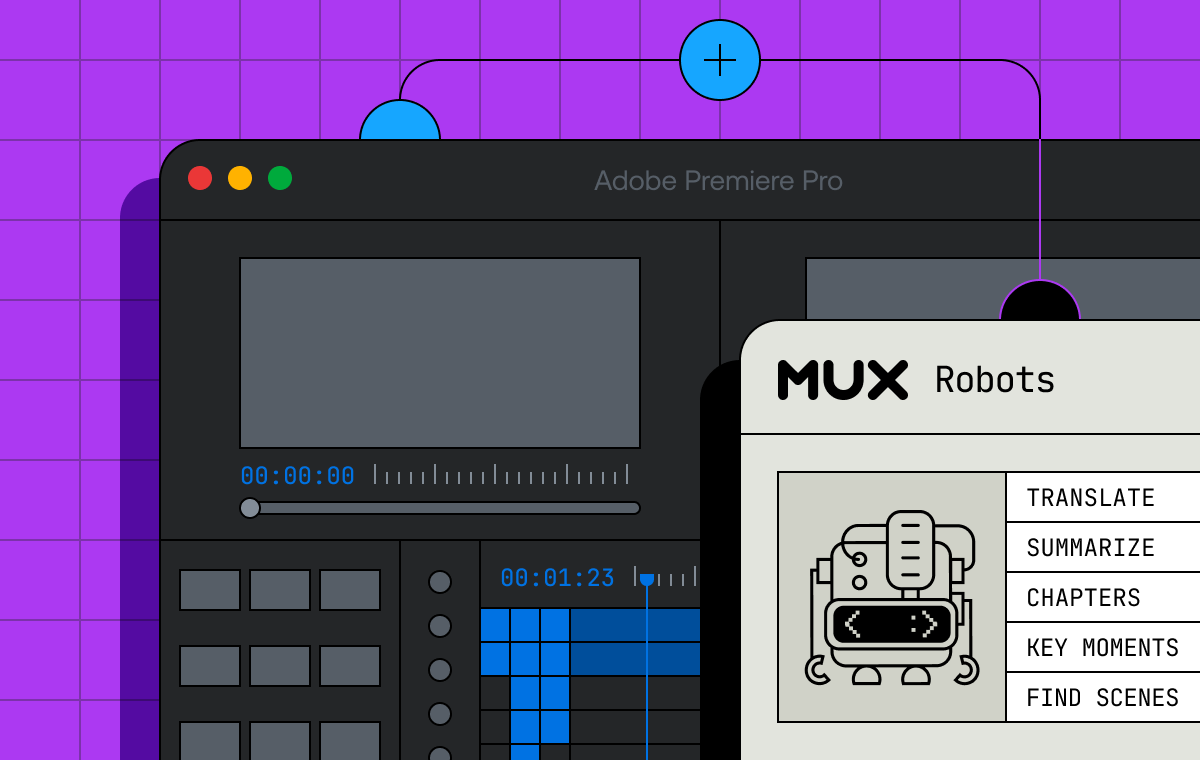
To expedite the process, the team utilized Mux Robots’ "Find Key Moments" workflow, an automated AI-driven feature designed to scan video files and identify compelling plays, pivotal shifts, and high-engagement segments. While the automated workflow successfully pinpointed the key moments and generated precise timestamps, the output was delivered as raw JSON data.
In a standard software development environment, JSON is the gold standard for applications and web players. However, for a video editor sitting in front of a non-linear editing (NLE) system like Adobe Premiere Pro, a JSON file is inert. The editor was still required to manually cross-reference the timestamps, scrub through the footage, and place markers on the Adobe Premiere Pro timeline by hand. Recognizing this workflow bottleneck, Mux engineers utilized Adobe’s Creative Cloud developer ecosystem to build a native bridge, effectively automating the translation between programmatic metadata and the NLE timeline.
Chronology of the Integration and Workflow Architecture
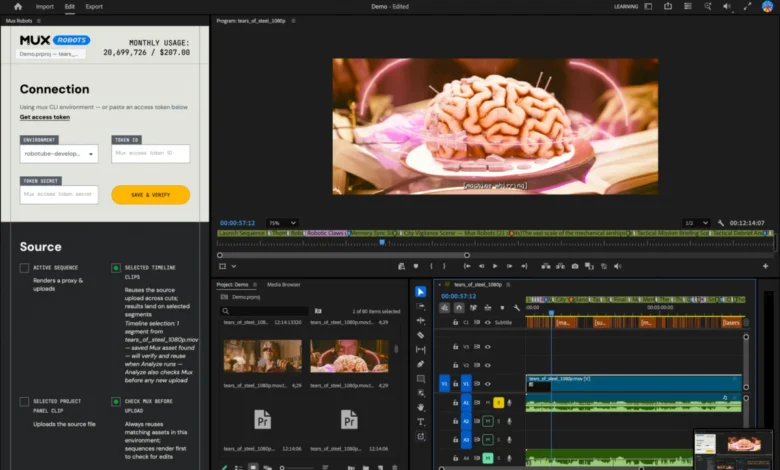
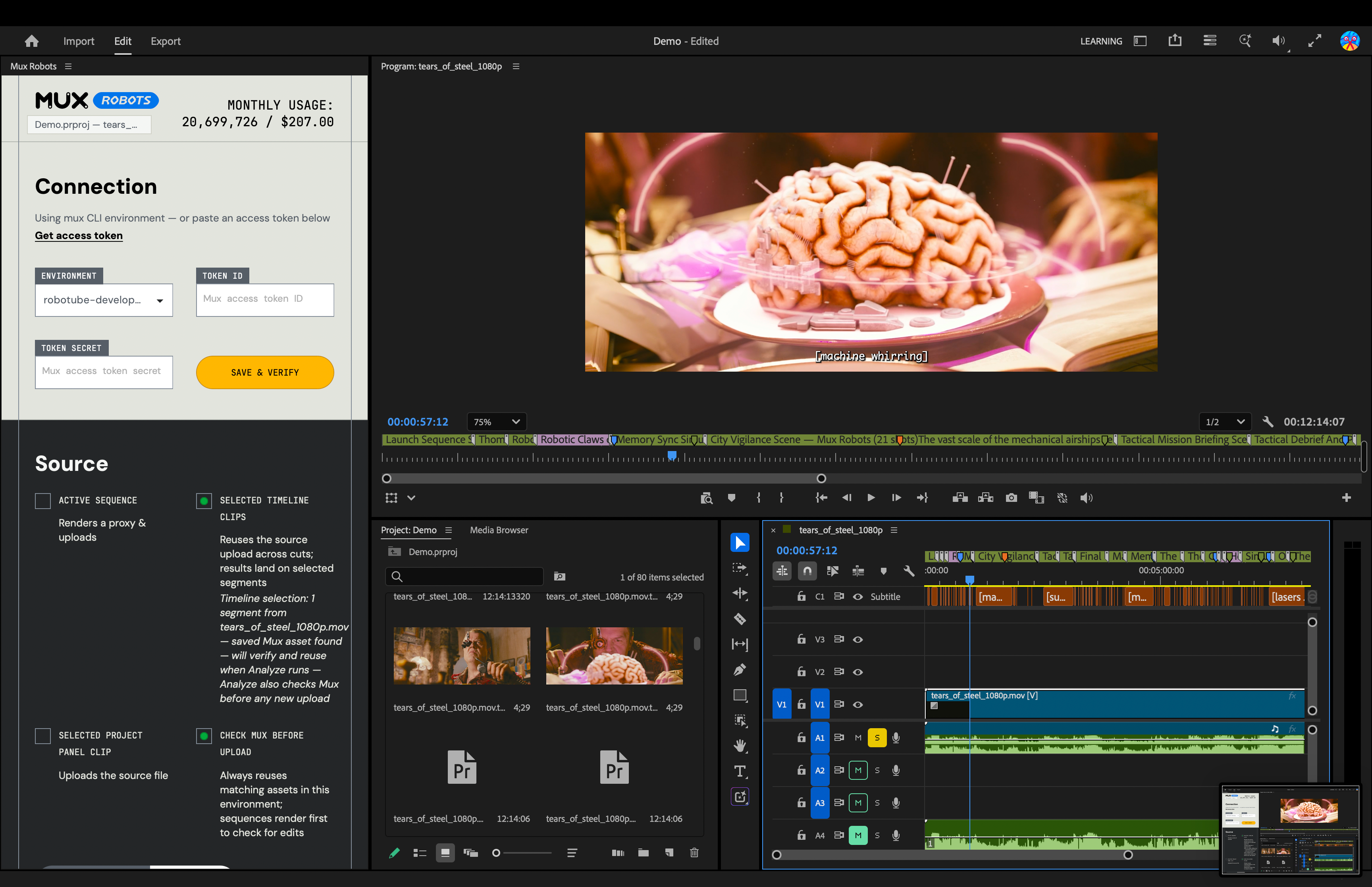
The Mux Robots plugin transforms how editors interact with metadata by integrating directly into the Adobe Premiere Pro interface. Rather than treating AI processing as an external web service, the plugin embeds the functionality into the application panel, allowing editors to initiate complex processing jobs without leaving their workspace.
The technical architecture relies heavily on Mux Robots Directives—a feature that allows creators to chain multiple workflows together via a single API call. In a typical editing scenario, tasks must be executed sequentially; for instance, generating accurate closed captions is often a prerequisite for producing contextually relevant chapters and identifying key moments.
Through the plugin, an editor can select a suite of services—such as "Generate Premium Captions," "Find Key Moments," and "Generate Chapters"—and package them into a single directive. The system processes the source video, prioritizing the transcription layer first, followed by structural analysis for chapters and algorithmic detection for key moments.
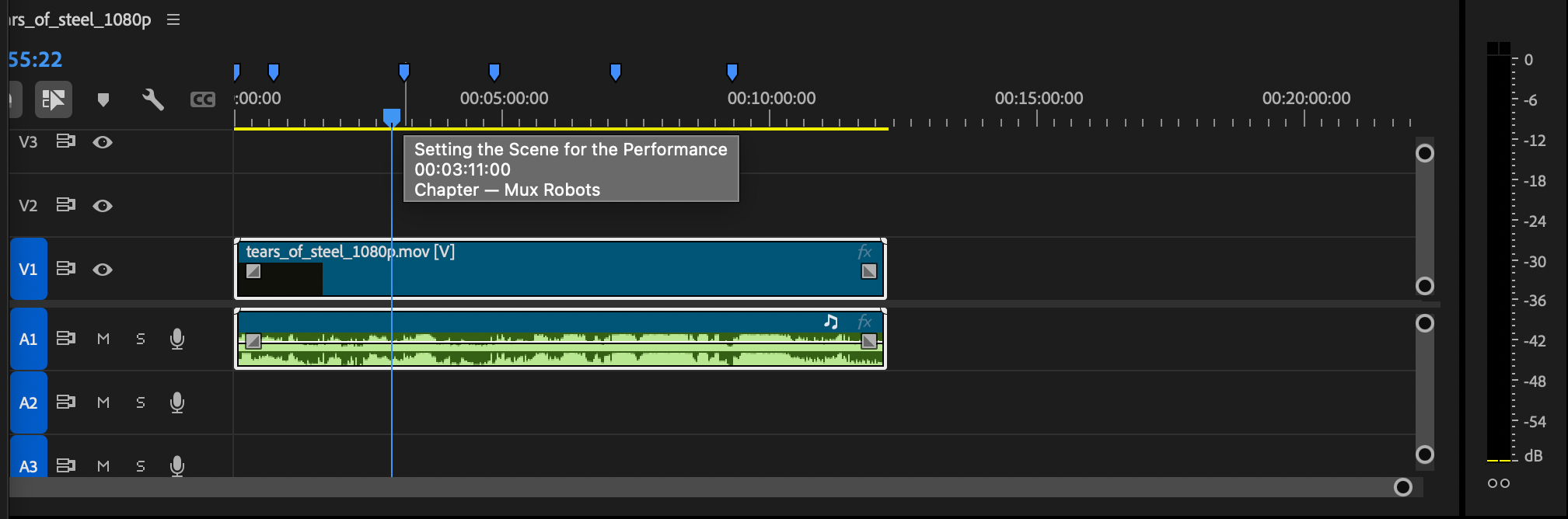
Once processed, the data is pushed directly into the project timeline using a color-coded visual hierarchy. Blue markers denote automatically generated chapters, providing a structural map of the video file based on thematic transitions. Purple markers indicate key moments identified by the AI algorithms. Editors can hover over any marker to preview specific metadata details extracted during the processing job. Furthermore, caption assets are routed directly to Premiere Pro’s Media Browser, where they can be dragged onto the timeline as standard subtitle tracks, while translated audio dubs are integrated as selectable multi-language secondary audio streams.
Supporting Data and Industry Implications
The release arrives at a time when the demand for localized, multi-platform video content is expanding exponentially. According to recent digital media industry surveys, content creators and enterprise marketing departments spend an estimated 30% to 40% of their post-production lifecycles on non-creative, administrative tasks—including transcription correction, caption translation, chapter timestamping, and rough-cut assembly.
By automating these foundational steps, tools like the Mux Robots plugin promise significant efficiency gains. In professional environments where turnaround times dictate audience retention—particularly for live-event streaming, corporate webinars, and developer conferences—shredding hours off the initial logging phase allows editors to focus their expertise on creative storytelling, color grading, and narrative pacing.
Moreover, the integration addresses the growing necessity of content localization. Modern digital distribution requires videos to be accessible across diverse linguistic markets. Traditionally, creating localized audio dubs and localized caption files required exporting stems, outsourcing translation, and re-importing assets—a multi-day loop. By bringing automated translation workflows directly into Premiere Pro, the plugin enables creators to generate target-language assets on the fly, significantly lowering the barrier to entry for global distribution.

Accessibility and Getting Started
Industry professionals looking to incorporate the tool into their current pipelines can access the software through the Adobe Creative Cloud Stock & Marketplace. Installation requires locating the Mux Robots listing within the marketplace or Creative Cloud desktop application. Once installed, users must authenticate the plugin within Premiere Pro using a valid Mux Token ID and secret key. Mux has structured the onboarding process to require no upfront financial commitment, allowing developers and editors to test the workflow capabilities without a credit card requirement.
As media production workflows continue to converge with cloud-native infrastructure, the boundary between automated AI processing and human-led creative control is increasingly porous. Tools that respect the primacy of the timeline—making data useful where editors actually work—signify a maturation in how creative software and cloud APIs interact in modern newsrooms and post-production suites.